


Charla is a terminal based application for chatting with language models. Charla integrates with Ollama for exchanging messages with model services.
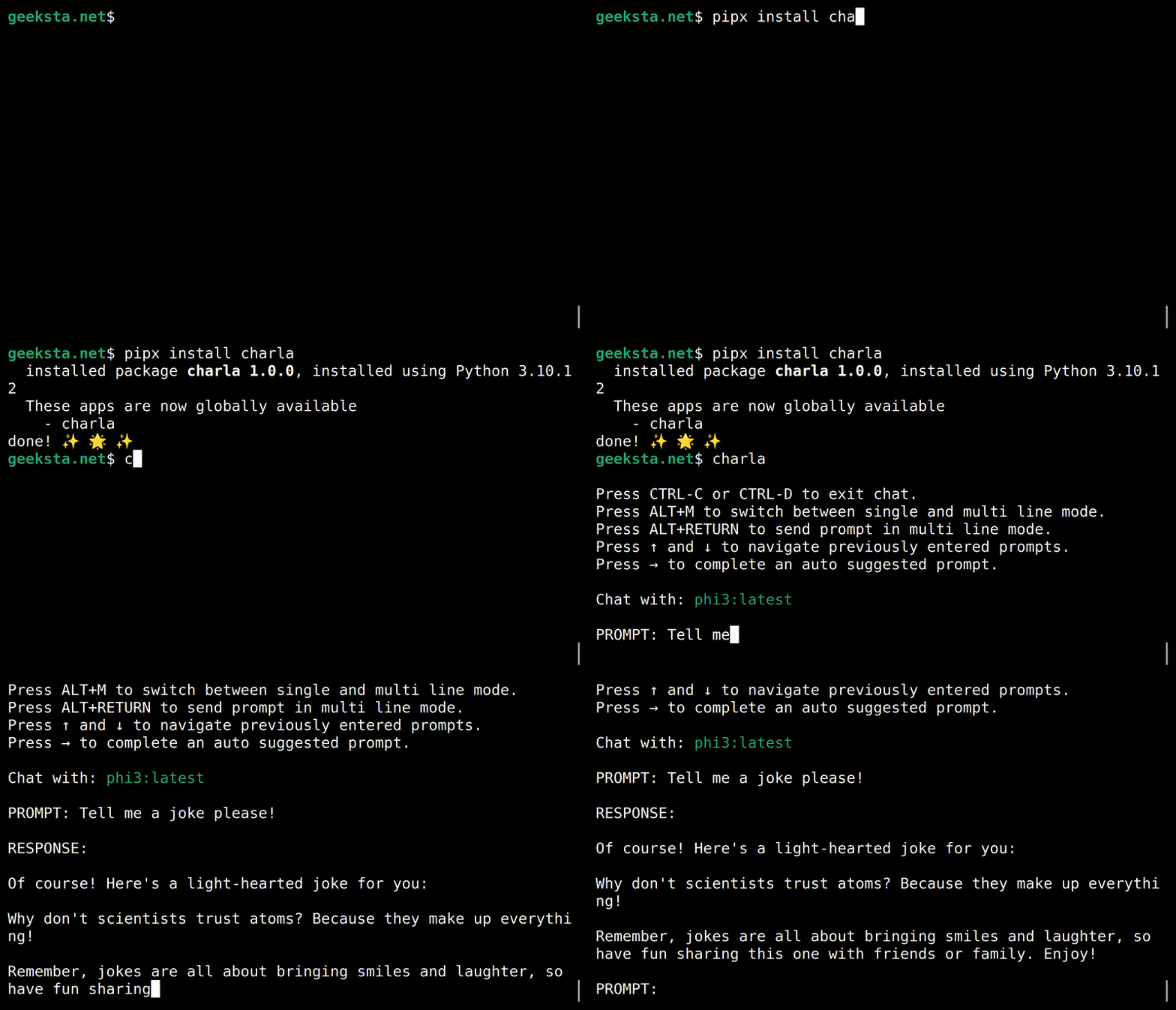
- Terminal-based chat system that supports context aware conversations with language models.
- Support for local and cloud models via Ollama.
- Chat messages are automatically saved during and at the end of chat sessions.
- Saved chat sessions can be continued.
- Prompt history is saved and previously entered prompts are auto-suggested.
- Switch between single-line and multi-line input modes without interrupting the chat session.
- Store user preferences in user config or current directory settings files.
- Provide a system prompt for a chat session.
- Load content from local files and web pages to append to prompts.
- Markdown in assistant responses and system prompts is rendered in the terminal.
To use Charla with models on your computer, you need a running installation of the Ollama server and at least one supported language model must be installed.
Install Charla using pipx:
pipx install charlaAfter successful installation and setup you can launch the chat console with the charla command in your terminal.
If you use Charla with Ollama, the default provider, you only need to specify the model to use, e.g.:
charla -m gpt-ossTo use Ollama cloud models, you need to run them once with the ollama command and then you can use them, e.g.:
ollama run gpt-oss:cloud
charla -m gpt-oss:cloud
You can set a default model in your user settings file.
Settings can be specified as command line arguments and in the settings files. Command line arguments have the highest priority. The location of your user config settings file depends on your operating system. Use the following command to show the location:
charla settings --locationYou can also store settings in the current working directory in a file named .charla.json. The settings in this local override the user config settings.
To save the current settings to a .charla.json file in the current directory, use the --save argument:
charla settings --saveExample settings for using OpenAI's GPT OSS model by default.
{
    "model": "gpt-oss:20b-cloud",
    "chats_path": "./chats",
    "prompt_history": "./prompt-history.txt",
    "provider": "ollama",
    "message_limit": 20,
    "multiline": false
}Output of charla -h with information on all available command line options.
usage: charla [-h] [--model MODEL] [--chats-path CHATS_PATH] [--continue-chat CONTINUE_CHAT]
                             [--prompt-history PROMPT_HISTORY] [--provider PROVIDER] [--message-limit MESSAGE_LIMIT]
                             [--multiline] [--system-prompt SYSTEM_PROMPT] [--think {true,false,low,medium,high}] [--version]
                             {convert,settings} ...

Chat with language models.

positional arguments:
  {convert,settings}    Sub Commands
    convert             Convert chat file to markdown.
    settings            Show current settings.

options:
  -h, --help            show this help message and exit
  --model MODEL, -m MODEL
                        Name of language model to chat with.
  --chats-path CHATS_PATH
                        Directory to store chats.
  --continue-chat CONTINUE_CHAT, -c CONTINUE_CHAT
                        File that contains chat to continue.
  --prompt-history PROMPT_HISTORY
                        File to store prompt history.
  --provider PROVIDER   Name of the provider to use.
  --message-limit MESSAGE_LIMIT
                        Maximum number of messages to use for context.
  --multiline           Use multiline mode.
  --system-prompt SYSTEM_PROMPT, -sp SYSTEM_PROMPT
                        File that contains system prompt to use.
  --think {true,false,low,medium,high}
                        Enable thinking for Ollama models that support it.
  --version             show program's version number and exit
Run the command-line interface directly from the project source without installing the package:
python -m charla.cliCharla is distributed under the terms of the MIT license.