
Isolated Linux machines for agents. On your laptop, your servers, or our cloud.
The Python client for Dock. Create docks, run commands in them, stop, resume and branch them from Python.
pip install git+https://github.com/usedock/dock-pythonPython 3.9 or newer. The only runtime dependency is httpx. From a checkout, use pip install -e ..
You need a control plane (self-hosted, or Dock Cloud when it opens) and an API key. To try docks without either, install the dock CLI, which runs docks locally with no account.
export DOCK_API_URL=https://dock.example.com
export DOCK_API_KEY=dock_...
Then run the example below with your workspace ID.
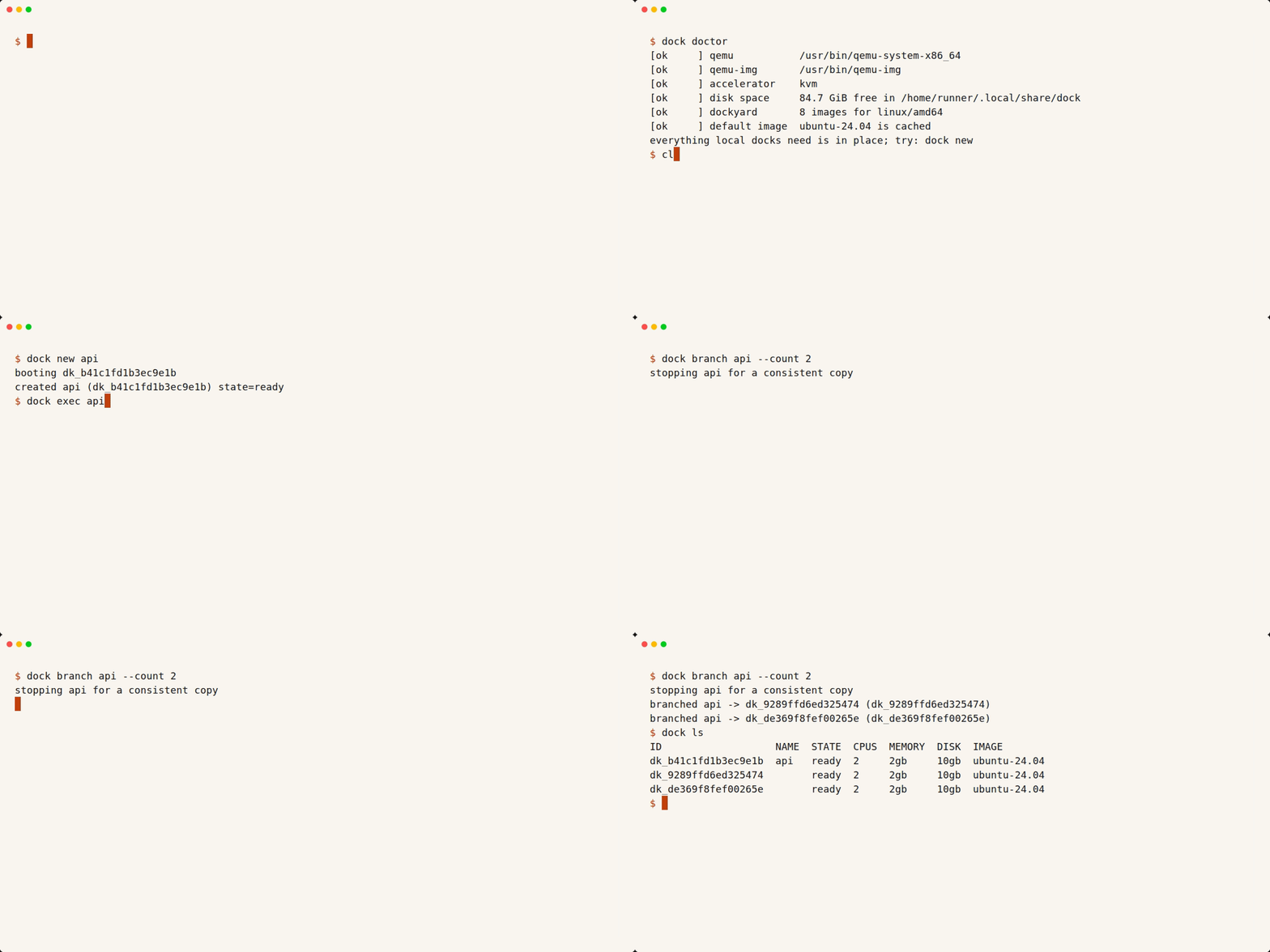
The first dock new downloads the image; the recording skips that wait.
Docs: SDKs, quickstart, API, self-hosting.
Questions and ideas: GitHub Discussions.
Status: early, and not published to PyPI yet; install from the git URL above. The
dockCLI ships in signed releases.
from usedock import Dock

with Dock() as client:  # reads DOCK_API_KEY and DOCK_API_URL
    dock = client.docks.create(
        workspace_id="...", name="demo", cpus=1, memory_mib=1024, disk_gib=10
    )
    try:
        run = client.docks.exec(dock.id, "python3 -c 'print(2 ** 10)'")
        print(run.stdout, run.exit_code)

        client.docks.files.write(dock.id, "/home/user/work/hello.txt", "hi\n")
        print(client.docks.files.read(dock.id, "/home/user/work/hello.txt"))
    finally:
        client.docks.delete(dock.id)
Methods on client.docks: create, list, get, update, exec, stop,
resume, branch, delete, ports.list / ports.expose / ports.remove, and files.write / files.read / files.read_bytes / files.list.
client.operations.get(id) polls an operation. client.connectors and client.images are described below. Create, stop, resume and branch
return when the change is done. Sizes use cpus, memory_mib, disk_gib.
Results are dataclasses (DockInfo, DockState, ExecResult, Operation).
create, get, list, update and branch return DockInfo, where only id,
name and state are relied on. stop and resume return DockState
(id, state), because the API answers them with just those two fields.
Unknown response fields are kept in .raw.
Omitted arguments are not sent. update(ttl_seconds=None) sends JSON null to
turn auto-stop off; leave it out (the default, usedock.UNSET) to keep the
current value. resume(ttl_seconds=...) works the same way: a number sets
auto-stop (counted from ready), None clears it, and omitting it keeps the
current value. files.read and files.list raise file_too_large (before
sending) when the path makes the command exceed the 64 KB exec limit.
exec, like create and branch, accepts idempotency_key=.
The API has no file routes, so files.* run one exec call: content travels
as base64, paths are single-quoted, and the command must fit the API's 64 KB
limit (about 48 KB of content minus the path). files.list returns every entry
name, hidden ones included, in no fixed order; names may hold newlines. A name
that is not valid UTF-8 comes back with U+FFFD in place of the bad bytes, so it
cannot be passed back to files.read or files.write. Listing a regular file
raises file_command_failed, and a symlink to a directory lists its target.
files.read decodes UTF-8; use files.read_bytes for binary files.
File helpers raise DockError with these codes. status is 200 when the exec
call itself succeeded (file_command_failed, output_truncated) and 0 when the
error is local (file_too_large, file_not_utf8). dock-js and dock-go use the
same statuses for the codes they share (file_not_utf8 is Python only):
| Code | When |
|---|---|
file_too_large |
content is over 48 KB, or the whole command would exceed 64 KB; raised before anything is sent |
file_command_failed |
the command exits non-zero (the message carries stderr) |
output_truncated |
the API clipped the output at 1 MiB (for example a read of a file over about 768 KB), so partial content is never returned |
file_not_utf8 |
files.read got bytes that are not valid UTF-8 |
New ports are private: the URL needs a dock-bound API key or an organization
member's sign-in. Pass visibility="public" to open it to anyone with the URL.
port = client.docks.ports.expose(dock.id, 3000)  # Port(port, visibility="private", url, created_at)
client.docks.ports.expose(dock.id, 3000, visibility="public")  # exposing again changes it
print(client.docks.ports.list(dock.id))
client.docks.ports.remove(dock.id, 3000)
url is None while hosted ports are off. Leaving visibility out of a repeat
expose keeps the port's current visibility.
client.environments.list(organization_id), get(ref, organization_id=...) and
update(ref, ..., provider_keys="plain") read and change environments. Reads need
an organization member; update needs an organization admin.
provider_keys is "gateway" (default: provider keys stay in the control plane and
docks get a placeholder key plus gateway base URLs) or "plain" (the real key is
written into the dock, so anyone inside it can read it). egress_allow=[...] confines
docks to those HTTPS hosts and egress_allow=None clears the list. Posture changes
(the pass flags, safe_for_third_parties, provider_keys, egress_allow) make a new
environment version; renames, is_default and secrets_access do not. Variable
values are never returned, only var_names. Connectors
also report credential_type (oauth, personal_token, bot_token, org_token,
user_token, token or None).
Connect a workspace to a tool once (organization admins only; members get
forbidden), then attach it to docks by kind. Tokens are never returned.
client.connectors.connect(workspace_id, "linear", token="lin_api_...")
for c in client.connectors.list(workspace_id):  # kind, type, status, read_only, ...
    print(c.kind, c.status)

dock = client.docks.create(workspace_id=workspace_id, connectors=["linear"])
print(dock.connectors)  # ["linear"]

client.connectors.disconnect(workspace_id, "linear")  # -> ConnectorState(kind, status)

for image in client.images.list():  # the Dockyard catalog
    print(image.name, image.size_mib, image.available)
github and model-keys are read-only kinds: they are listed but cannot be
connected by token.
Every failure raises DockError with code (the API code such as
dock_not_found or validation_error), status (HTTP status, 0 for local
failures such as network_error) and message.
from usedock import DockError

try:
    client.docks.get("00000000-0000-4000-8000-000000000000")
except DockError as err:
    print(err.code, err.status)
Some codes raise a subclass of DockError, so you can catch them directly:
ConnectorNotConnectedError (connector_not_connected, 409),
ConnectorAdminOnlyError (connector_admin_only, 403),
ConnectorNotFoundError (connector_not_found, 404),
ConnectorTokenInvalidError (connector_token_invalid, 400),
ConnectorUnreachableError (connector_unreachable, 502), ImageUnknownError
(image_unknown, 400), ImageUnavailableError (image_unavailable, 400),
PortNotFoundError (port_not_found, 404), PortLimitReachedError
(port_limit_reached, 409) and PortsUnavailableError (ports_unavailable,
503).
Port 2222 is reserved for the dock agent and is rejected with
validation_error. A dock can expose at most 10 ports.
| Variable | Meaning | Default |
|---|---|---|
DOCK_API_KEY |
API key (dock_...) |
required |
DOCK_API_URL |
Control plane origin, without /v1 |
https://api.usedock.io |
Dock(api_key=..., base_url=...) overrides both.
python -m venv .venv && .venv/bin/pip install -e ".[dev]"
ruff check . && ruff format --check . && mypy && pytest
The client is checked against the shared scenario suite in
usedock/dock sdk-scenarios/,
pinned by commit in SCENARIOS_REF. Tests read it from DOCK_SCENARIOS_DIR
(default ../dock/sdk-scenarios) and skip with a reason when it is absent; with DOCK_SCENARIOS_REQUIRED=1
(set in CI) a missing suite fails instead.
Offline mode replays the recorded fixtures against a local fake server. Set
DOCK_API_URL, DOCK_API_KEY and DOCK_WORKSPACE_ID to also run every
scenario against a real control plane (use a throwaway workspace; scenarios
create and delete docks).
- Written by hand, not generated, so names read the way you would say them:
client.docks.create,client.docks.exec,client.docks.branch. - Only public routes. Fleet, admin and internal routes never appear.
- The same nouns and verbs as the TypeScript and Go SDKs, and one shared scenario suite (create, exec, stop, resume, branch, delete) that each SDK runs.
- Semver; a major version matches an API version.
Contributions are welcome. Every contributor signs the CLA; the CLA bot asks on your first pull request in each repository. API changes start in usedock/dock and link their SDK pull requests.
Report vulnerabilities to security@usedock.io, not in public issues.
Copyright (C) 2026 Paranjay.