
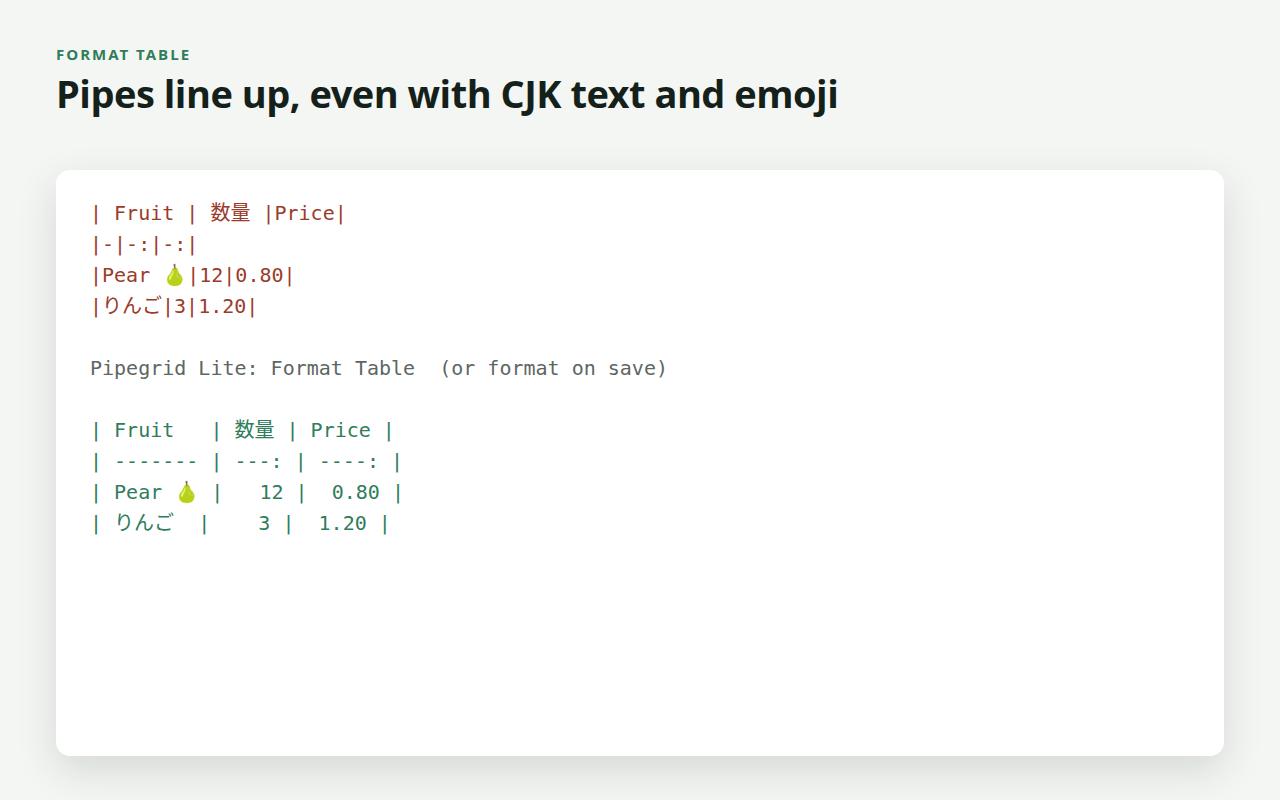
A free Visual Studio Code extension that aligns Markdown tables and turns cells pasted from a spreadsheet into a table. Widths are measured in display columns, so Chinese, Japanese and Korean text, fullwidth forms and emoji do not throw the pipes off.
| Command (Command Palette, category "Pipegrid Lite") | What it does |
|---|---|
| Format Table | Aligns the table under the cursor (also in the right-click menu). |
| Format All Tables in Document | Aligns every table in the file; fenced code blocks are skipped. |
| Create Table... | Asks for a size such as 3x4 and inserts an empty, aligned table. |
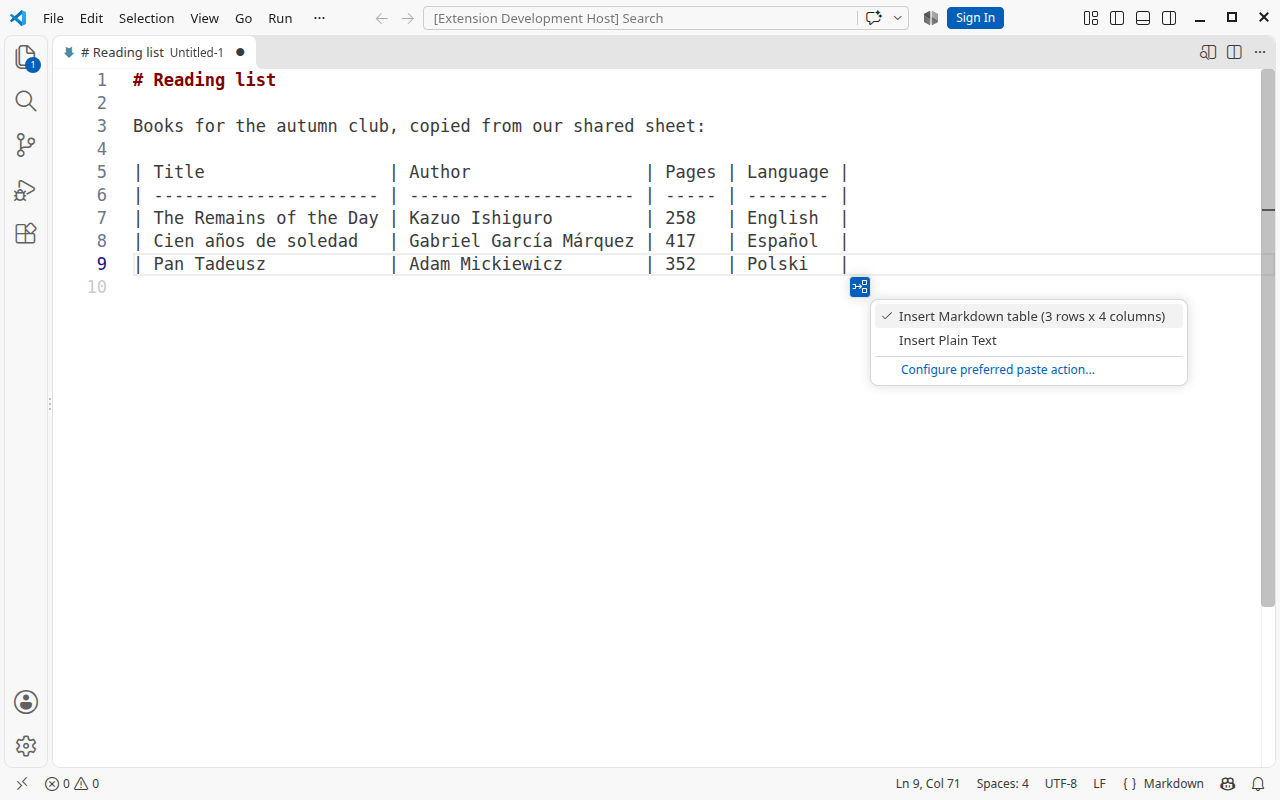
Paste from a spreadsheet. Copy cells in Excel, Google Sheets or
LibreOffice Calc and press Ctrl+V in a Markdown file: on VS Code 1.97 and
newer they arrive as an aligned table (first row = header). The paste options
button VS Code shows next to the result (or Ctrl+.) switches back to plain
text. Inside fenced code blocks, for single lines and for comma-separated text
the paste stays plain.
Settings: pipegridLite.formatOnSave (off by default) formats every table in
a Markdown file when it is saved; pipegridLite.pasteSpreadsheetAsTable (on by
default) turns the table paste off when set to false.
- Display width. CJK ideographs, kana, Hangul, fullwidth Latin and emoji count as two columns; combining marks and zero-width characters as zero. Emoji sequences (skin tones, flags, joined families) count as one unit.
- GitHub Flavored Markdown rules. Only
\|escapes a pipe inside a cell. Leading and trailing pipes are optional on input and always written on output. Alignment markers (:---,:---:,---:) are kept. - Nothing is lost. Short rows are padded, long rows keep their extra cells, indentation (for example inside a list) is kept, CRLF stays CRLF.
Lite is complete for formatting and never asks for payment. The full edition, Pipegrid, adds Tab navigation between cells, Paste as Table for CSV text and older VS Code versions, CSV/TSV conversion, sorting, row and column editing, alignment and transposing: https://pnscripts.com/marketplace/vscode-pipegrid.
npm test           # table engine and extension tests against a fake VS Code API
npm run package    # dist/pipegrid-lite-1.1.0.vsix (uses @vscode/vsce)
npm run images     # icon and listing images at exact sizes
No runtime dependencies and no network access.
MIT. Copyright (c) 2026 ПН СКРИПТС ЕООД (PN Scripts).