


A GPU-accelerated simulation that uses a bio-inspired slime mold algorithm to generate optimal, road-like networks.
- Slime Mold Road Network Generator
This project implements a bio-inspired algorithm based on the behavior of the Physarum polycephalum slime mold, a single-celled organism renowned for its ability to find efficient paths and form complex networks. The simulation models this behavior using a multi-agent system to generate realistic and optimized road-like networks.
The core of the simulation involves thousands of agents navigating a 2D space. These agents deposit a chemical "trail" (pheromone) that diffuses and evaporates over time. Agents are attracted to areas with higher trail concentrations, creating a positive feedback loop. This emergent behavior results in the formation of efficient, branching networks connecting different regions of the map, mimicking how real-world infrastructure might develop.
The final output is not just a visual simulation but a complete pipeline that processes the resulting trail map, thins it into a single-pixel-wide skeleton, and converts it into a formal graph data structure, making it suitable for pathfinding or network analysis.
- Massively Parallel Simulation: Utilizes OpenGL compute shaders to simulate tens of thousands of agents and process a high-resolution trail map entirely on the GPU, enabling real-time performance.
- Interactive Parameter Control: Features a real-time GUI built with Dear ImGui that allows for dynamic tuning of all key simulation parameters, including agent speed, sensor angle, trail diffusion, and evaporation rates.
- Image-to-Graph Conversion Pipeline: Includes a sophisticated post-processing pipeline that:
- Binarizes and cleans the final trail map.
- Applies the Zhang-Suen thinning algorithm to skeletonize the network.
- Traverses the pixel skeleton to construct a traversable graph network using the Guava library.
- Bio-Inspired Emergent Behavior: Demonstrates how simple rules followed by individual agents can lead to complex, self-organizing systems that solve optimization problems.
- Language: Java 17
- Graphics & Compute: OpenGL 4.6 (via LWJGL 3)
- GPU Shading: GLSL (Compute Shaders)
- GUI: Dear ImGui (via
imgui-java) - Image Processing: OpenCV
- Math Library: JOML (Java OpenGL Math Library)
- Data Structures: Google Guava (for Graph representation)
- Build System: Gradle
The application is architected with a clear separation of concerns to handle the demanding tasks of simulation, rendering, and data processing.
-
Simulation Core (GPU): The entire simulation logic is offloaded to the GPU for maximum performance.
moveAgent.glsl: A compute shader where each invocation controls a single agent. It handles sensing the environment, updating the agent's direction and position, and depositing trails onto a texture.trailProcessing.glsl: A compute shader that runs on every pixel of the trail map texture, applying diffusion and evaporation effects in parallel.- Agent Data (SSBO): Agent states (position, angle) are stored in a Shader Storage Buffer Object (SSBO), allowing efficient read/write access directly from the compute shaders.
-
Control & Rendering (CPU/Java):
Compute.java: A manager class that orchestrates the simulation. It initializes OpenGL resources (shaders, textures, SSBOs), sets shader uniforms, and dispatches the compute jobs each step.GUI.java: The main application window built with LWJGL and Dear ImGui. It provides sliders and buttons to modify simulation parameters in real-time and renders the final simulation texture to the screen.
-
Post-Processing Pipeline (CPU/Java):
- Once the simulation phase is complete, the final trail texture is read back from GPU memory.
ZhangSuen.java: Implements a classic computer vision algorithm to thin the wide, blurry trails into a clean, one-pixel-wide skeleton.PixelPathToGraph.java: A custom algorithm traverses the skeletonized image, identifying junctions and endpoints as nodes and the paths between them as edges, building a structuredMutableGraph.
[INSERT A SIMPLE ARCHITECTURE DIAGRAM HERE IF YOU HAVE ONE] (e.g., A flow chart: GUI Controls -> Java Compute Manager -> Dispatches GPU Shaders -> Texture Readback -> CPU Post-Processing -> Final Graph)
To get a local copy up and running, follow these simple steps.
- JDK 17 or higher
- Gradle 8.2 or higher
- Clone the repo:
git clone https://github.com/kaidalisohaib/GraphTrafficSim.git
- Navigate to the project directory:
cd GraphTrafficSim - Build the project using the Gradle wrapper:
./gradlew build
- Run the application:
./gradlew run
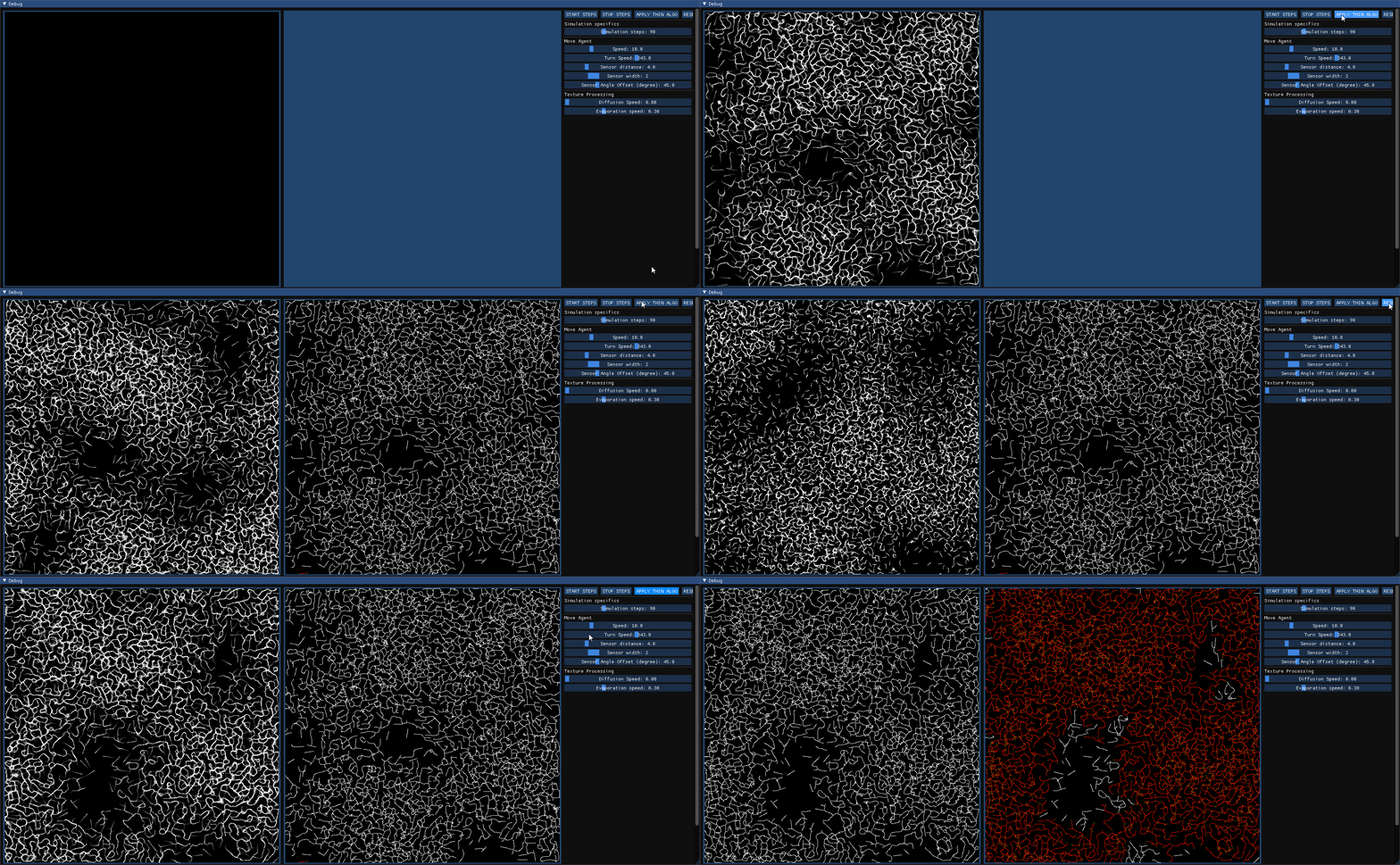
Once the application is running, you will see a window with the simulation view on the left and a control panel on the right.
- Click
START STEPSto begin the simulation. - Use the sliders in the control panel to adjust agent behavior and trail physics in real-time.
- Once a desirable network has formed, click
STOP STEPS. - Click
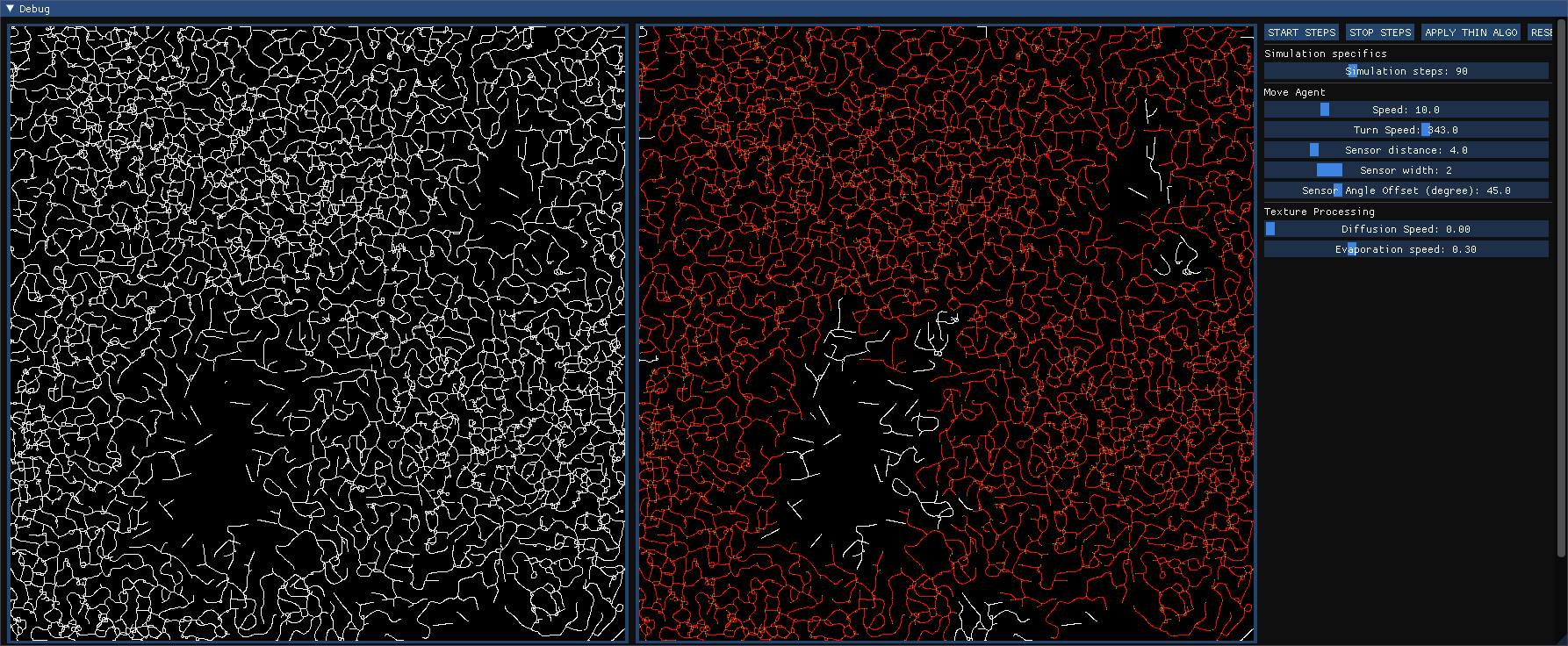
APPLY THIN ALGOto run the post-processing pipeline. The result of each step can be observed in the second view panel.
- The Problem: Simulating tens of thousands of agents, each performing calculations every frame, alongside a diffusing and evaporating trail map, is computationally prohibitive for a single-threaded CPU approach. Initial prototypes would have been far too slow for interactive use.
- The Solution: I offloaded the entire simulation logic to the GPU using OpenGL compute shaders. Agent data was managed in a Shader Storage Buffer Object (SSBO) for parallel access, and the trail map was implemented as a floating-point texture. This transformed the problem from a sequential loop into a massively parallel computation, enabling real-time frame rates.
- What I Learned: This project was a deep dive into General-Purpose GPU (GPGPU) programming. I gained hands-on experience with the modern graphics pipeline, GLSL, GPU memory management (SSBOs vs. textures), and the critical importance of designing algorithms for parallel execution to solve performance bottlenecks.
- The Problem: The simulation's raw output is a raster image—a grid of pixel values. This is visually appealing but is not a useful data structure for applications like pathfinding or network analysis, which require discrete nodes and edges.
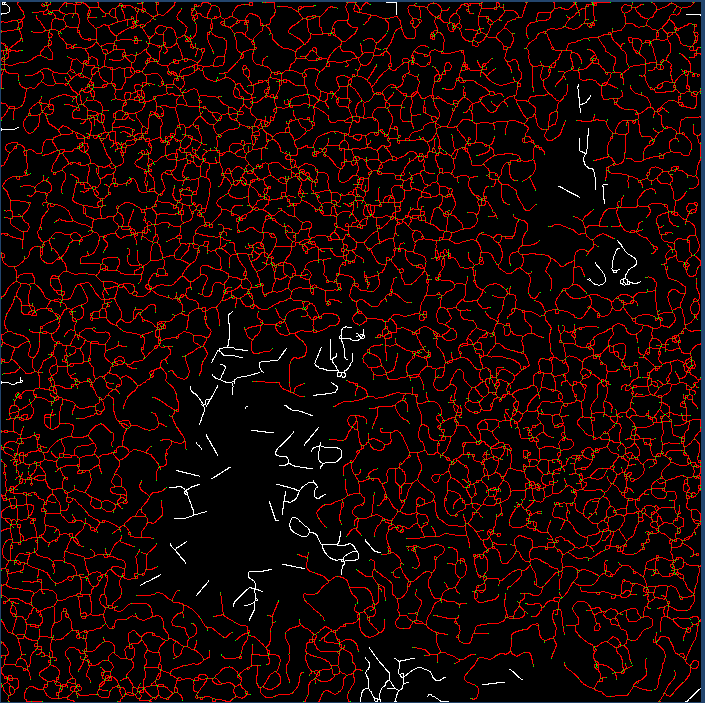
- The Solution: I designed and implemented a multi-stage data processing pipeline. First, the final trail texture is read back from the GPU and binarized. Next, I implemented the Zhang-Suen thinning algorithm to skeletonize the trails into clean, single-pixel-wide lines. Finally, I wrote a custom traversal algorithm that walks these pixel lines, identifies intersections and endpoints as graph nodes, and creates edges between them, successfully converting the raster image into a structured Guava
MutableGraph. - What I Learned: This challenge taught me how to bridge the gap between simulation and practical application. I learned the theory and practice of computer vision algorithms like skeletonization and gained experience in graph theory and data structure design. It demonstrated the process of extracting meaningful, structured information from raw, unstructured data.
- Implement Pathfinding: Use an algorithm like A* or Dijkstra's on the generated graph to find and visualize the shortest path between two user-selected points.
- User-Defined "Food Sources": Allow users to click on the map to place "food sources" that agents are attracted to, guiding the network generation in a more controlled manner.
- Performance Metrics: Display real-time performance data (FPS, simulation steps/sec) in the GUI.
- Save/Load Functionality: Add the ability to save the generated graph data to a file (e.g., JSON, GML) and load it back later.
Distributed under the MIT License. See LICENSE for more information.