


An interactive Unity-based simulation that visualizes the Adaptive Monte Carlo Localization (AMCL) algorithm for mobile robot localization.
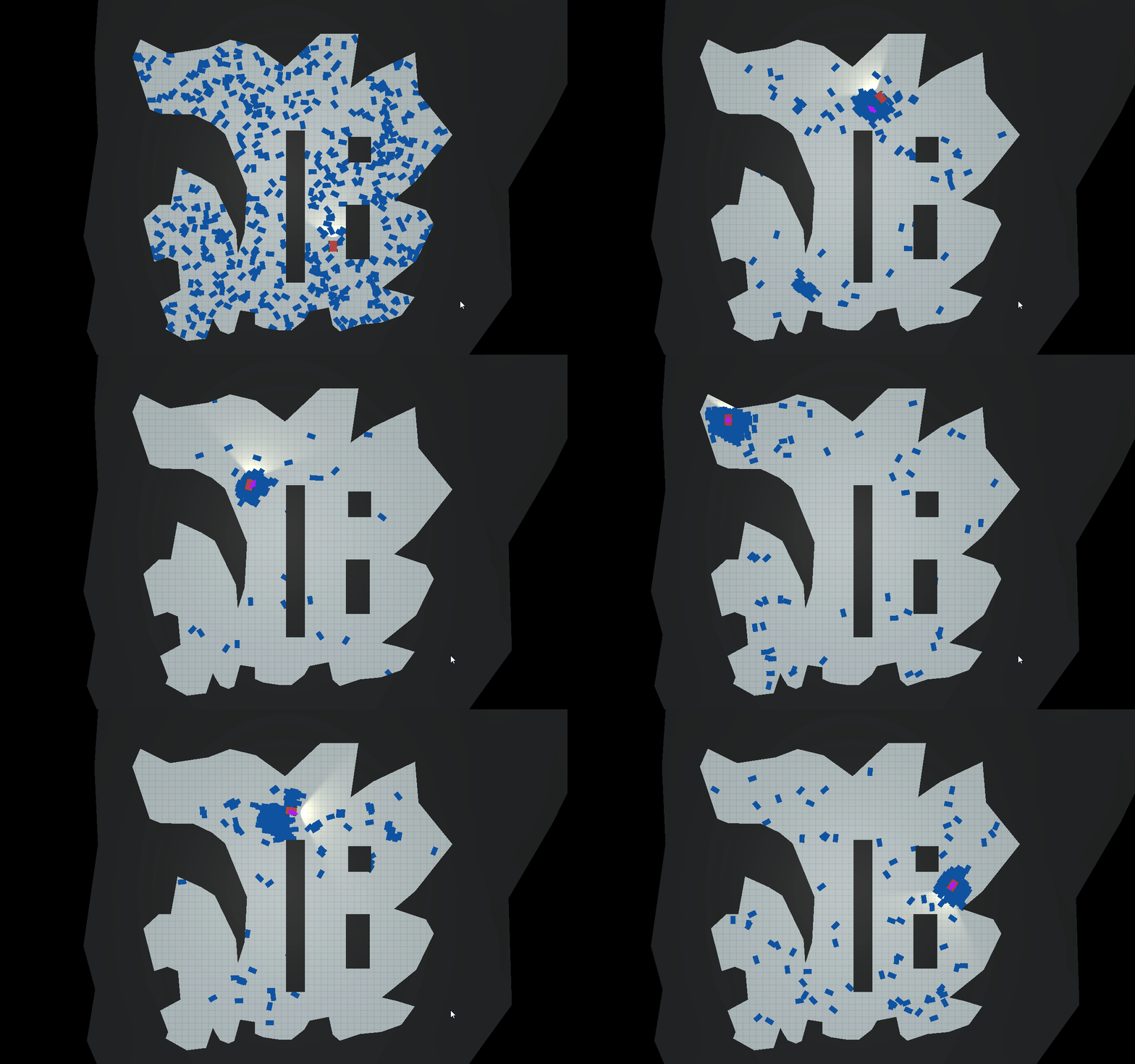
Localization is a fundamental challenge in robotics: how can a mobile robot determine its position and orientation (pose) within a known environment, especially when its sensors and movements are noisy and uncertain? This project provides an answer by implementing the Adaptive Monte Carlo Localization (AMCL) algorithm from scratch in C# and visualizing it in a real-time, interactive Unity simulation.
AMCL is a probabilistic algorithm that uses a particle filter to track the robot's pose. It represents the robot's belief of its location as a cloud of weighted particles, where each particle is a hypothesis of the robot's true pose. As the robot moves and senses its environment, these particles are updated through a cycle of prediction, weighting, and resampling, causing them to converge on the most likely location.
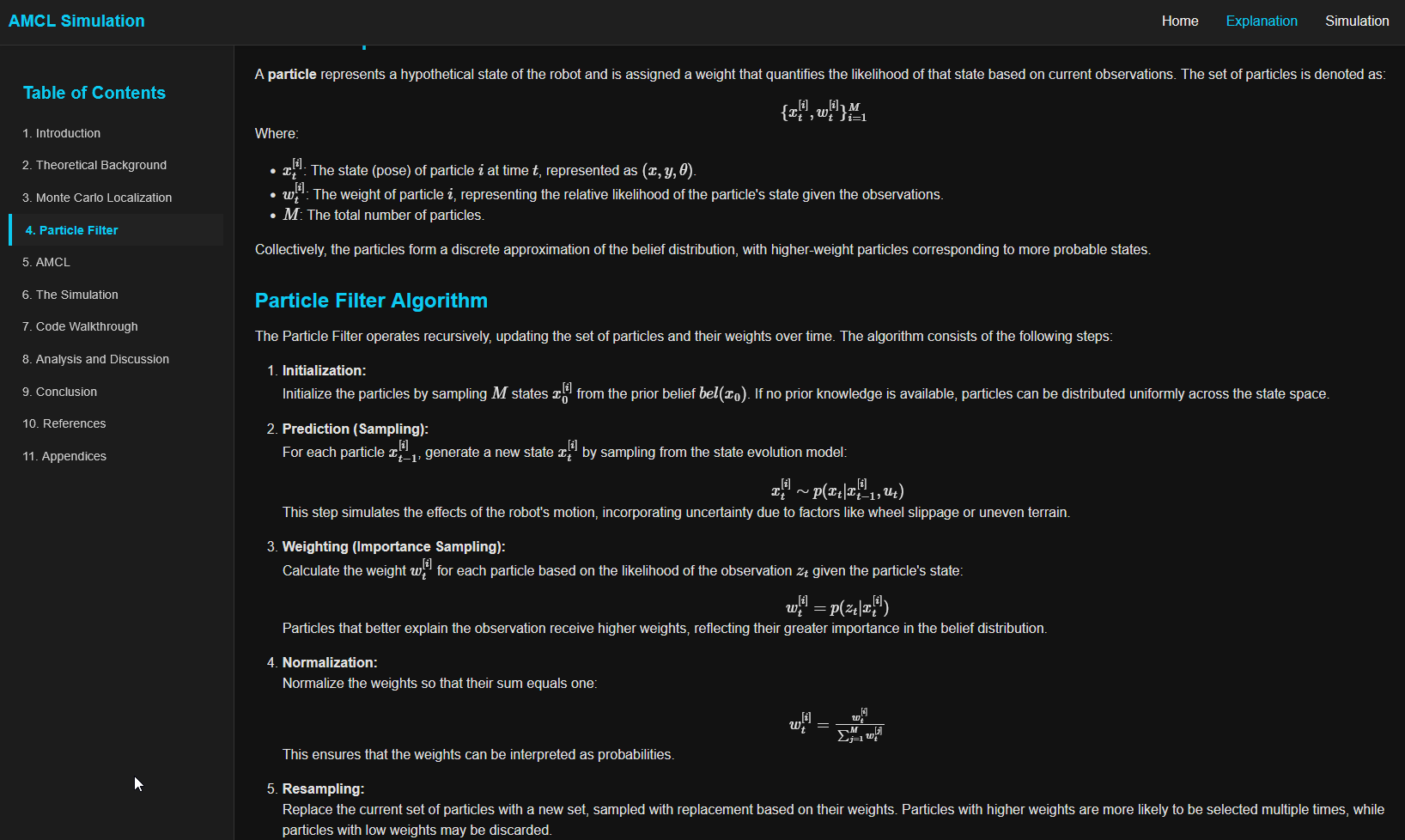
This project not only provides a playable simulation but also includes a detailed companion website that breaks down the underlying theory, from Bayesian inference to the specifics of the AMCL algorithm. It serves as an educational tool to bridge the gap between abstract probabilistic concepts and their tangible application in robotics.
- Interactive Real-Time Simulation: Control a mobile robot with keyboard inputs (
WASDor Arrow Keys) and observe the AMCL algorithm in action. - AMCL Particle Filter Implementation: The core localization algorithm was built from the ground up in C#, implementing the predict-update-resample cycle of the Bayes filter.
- Dynamic Particle Management: The particle cloud adapts to uncertainty, injecting random particles to handle potential "kidnapping" scenarios and prevent filter divergence.
- Probabilistic Modeling: Utilizes Gaussian noise models for both robot motion (odometry) and sensor measurements (raycasting) to simulate real-world uncertainty.
- WebGL Deployment: The entire simulation is compiled to WebGL and hosted on GitHub Pages, making it accessible to anyone with a web browser.
- Detailed Companion Website: Includes comprehensive
explanation.htmlandindex.htmlpages that detail the theory behind the simulation.
- Simulation Engine: Unity 6000.0
- Programming Language: C#
- Deployment: WebGL, GitHub Pages
- Web Frontend: HTML, CSS, Bootstrap
The project follows a component-based architecture typical of Unity applications. The core logic is encapsulated in two primary C# scripts:
-
CarControl.cs&WheelControl.cs: These scripts manage the robot's physics and movement.CarControltranslates user input into motor torque and steering angles for theWheelCollidercomponents, simulating the robot's odometry.WheelControlsynchronizes the visual wheel models with their physics colliders. -
ParticleController.cs: This is the heart of the AMCL implementation. It orchestrates the entire particle filter lifecycle:- Prediction: At each update step, it propagates all particles forward based on the robot's odometry data (
deltaPosition,deltaTheta), adding Gaussian noise to simulate motion uncertainty. - Weighting: It simulates sensor raycasts from each particle's hypothetical pose and compares the results to the robot's actual sensor readings. A particle's weight is updated based on the likelihood of its measurements matching the real ones, calculated using a Gaussian probability density function. Log-likelihoods are used to maintain numerical stability.
- Resampling: It implements a systematic resampling strategy. Particles with higher weights are more likely to be selected for the next generation, focusing computational effort on more probable areas. To prevent sample impoverishment and handle global localization failures (the "kidnapped robot problem"), a percentage of particles are randomly redistributed across the map.
- Prediction: At each update step, it propagates all particles forward based on the robot's odometry data (
The system is designed to run decoupled from the frame rate using InvokeRepeating, ensuring consistent algorithm performance regardless of rendering speed.
To get a local copy up and running, follow these simple steps.
- Unity Hub
- Unity Editor (Version
6000.0.23f1or newer recommended)
- Clone the repo:
git clone https://github.com/kaidalisohaib/AMCL-Visualization.git
- Open the project folder in Unity Hub.
- Unity will automatically resolve the packages. Once complete, the project is ready to be opened.
- Open the project in the Unity Editor.
- Navigate to the
Assets/Scenesfolder in the Project window. - Open the
Simulation.unityscene. - Press the Play button at the top of the editor.
- Use the
WASDorArrow Keysto drive the robot. Observe how the blue particles converge on the robot's true position.
- The Problem: Translating the mathematical formulas for the motion and sensor models into robust, numerically stable C# code was a primary challenge. Particle weights are products of probabilities and can quickly underflow to zero, causing the filter to fail.
- The Solution:
- Motion Model: I implemented a
RandomGaussianfunction to add realistic noise to the robot's perceived movement, ensuring particles spread out to represent odometry uncertainty. - Sensor Model: For weighting, I calculated the likelihood of sensor readings using a Gaussian probability density function based on the error between a particle's expected measurement and the robot's actual measurement. To avoid floating-point underflow, I performed weight calculations in log-space. The
LogSumfunction was crucial for normalizing the weights without converting them back to standard probability space prematurely, which preserved precision.
- Motion Model: I implemented a
- What I Learned: This project provided a deep, practical understanding of applying probabilistic models. It highlighted the critical importance of numerical stability in statistical algorithms and solidified my ability to implement Bayesian filters in a real-world context.
- The Problem: The simulation needs to manage hundreds of particles, each performing multiple sensor raycasts every update cycle. This is computationally expensive and can lead to low frame rates, especially in a WebGL build which runs single-threaded.
- The Solution:
- I decoupled the AMCL algorithm's update from the rendering framerate using
InvokeRepeatingwith a configurableUpdateInterval. This ensures the simulation remains stable even if rendering slows down. - During resampling, I optimized memory usage by clearing and reusing a
List<Particle>(newParticles) instead of allocating a new one every cycle, reducing garbage collection spikes. - The adaptive nature of AMCL itself is a performance feature. The code is structured to support dynamic particle counts (
minParticles,maxParticles), allowing the system to use fewer resources when the robot's position is certain.
- I decoupled the AMCL algorithm's update from the rendering framerate using
- What I Learned: I gained valuable experience in performance profiling and optimization within a real-time engine. This project was a practical lesson in the classic trade-off between simulation accuracy (more particles) and computational performance.
- Interactive UI Parameters: Expose key algorithm parameters (e.g.,
sensorVariance, noise levels,randomParticleRatio) to the user via UI sliders in the simulation to allow for real-time experimentation. - Advanced Resampling: Implement and compare other resampling strategies, such as Low Variance Resampling, to further mitigate particle impoverishment and improve efficiency.
- Dynamic Environments: Introduce moving obstacles or allow for map changes to test the algorithm's robustness and its ability to recover from localization failures.
- Data Visualization: Re-enable the commented-out
XChartsintegration to plot metrics like the Effective Sample Size (ESS) over time, providing quantitative insight into the filter's health.
Distributed under the MIT License. See .gitignore for details (Note: A LICENSE file should be added for clarity).