Folders and files
| Name | Name | Last commit date | ||
|---|---|---|---|---|
Repository files navigation
* Nyxt browser
#+html: <img src="https://nyxt-browser.com/static/image/nyxt_256x256.png" align="right"/>

*Nyxt* [nýkst] is a keyboard-driven web browser designed for hackers.  Inspired by
Emacs and Vim, it has familiar keybindings ([[https://en.wikipedia.org/wiki/Emacs][Emacs]], [[https://en.wikipedia.org/wiki/Vim_(text_editor)][vi]], [[https://en.wikipedia.org/wiki/IBM_Common_User_Access][CUA]]), and is infinitely
extensible in Lisp.

*Attention:* Nyxt is under active development.  Please feel free to [[https://github.com/atlas-engineer/nyxt/issues][report]] bugs,
instabilities or feature wishes.

-----

* Features
For an exhaustive description of all of the features, please refer to the
manual.

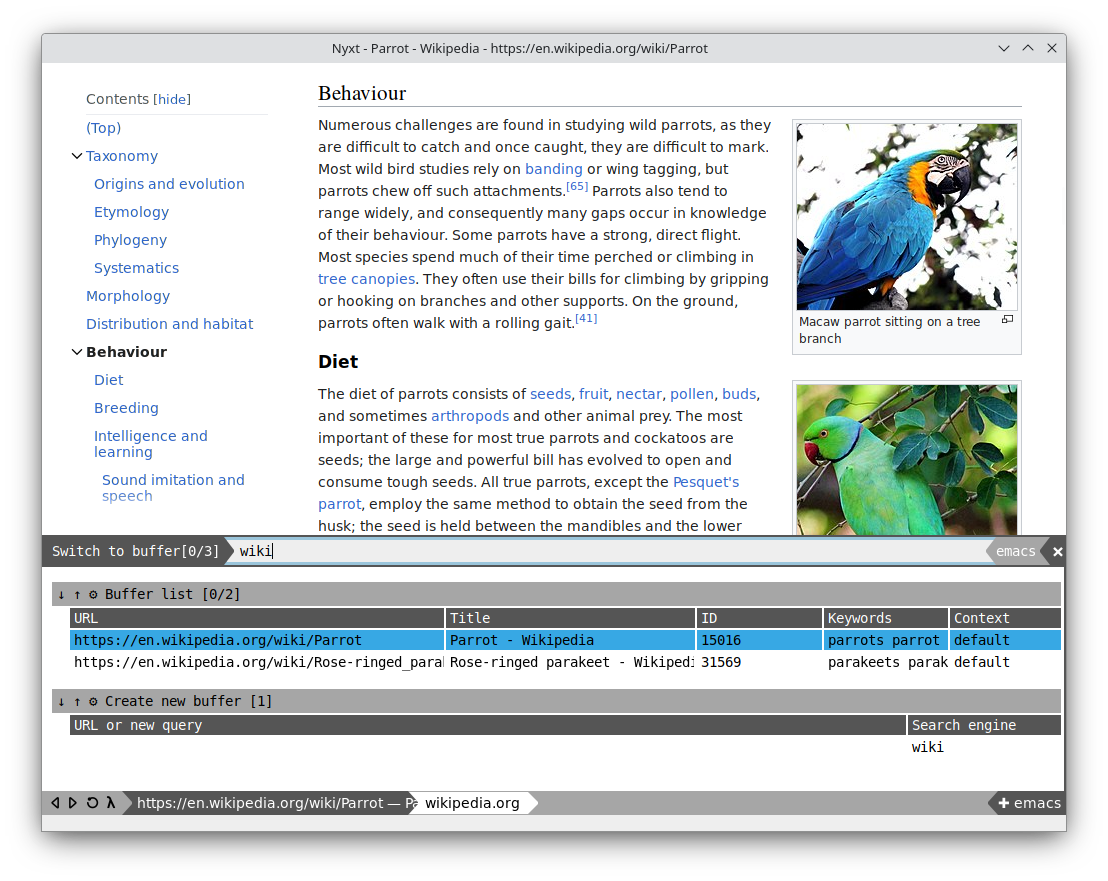
** Fast tab switching

Switch easily between your open tabs via fuzzy search.  If you are looking for
~https://www.example.com~, you could type in ~ele~, ~exa~, ~epl~, or any other
matching series of letters.

#+html: <img src="https://nyxt-browser.com/static/image/switch-buffer.png" align="center"/>

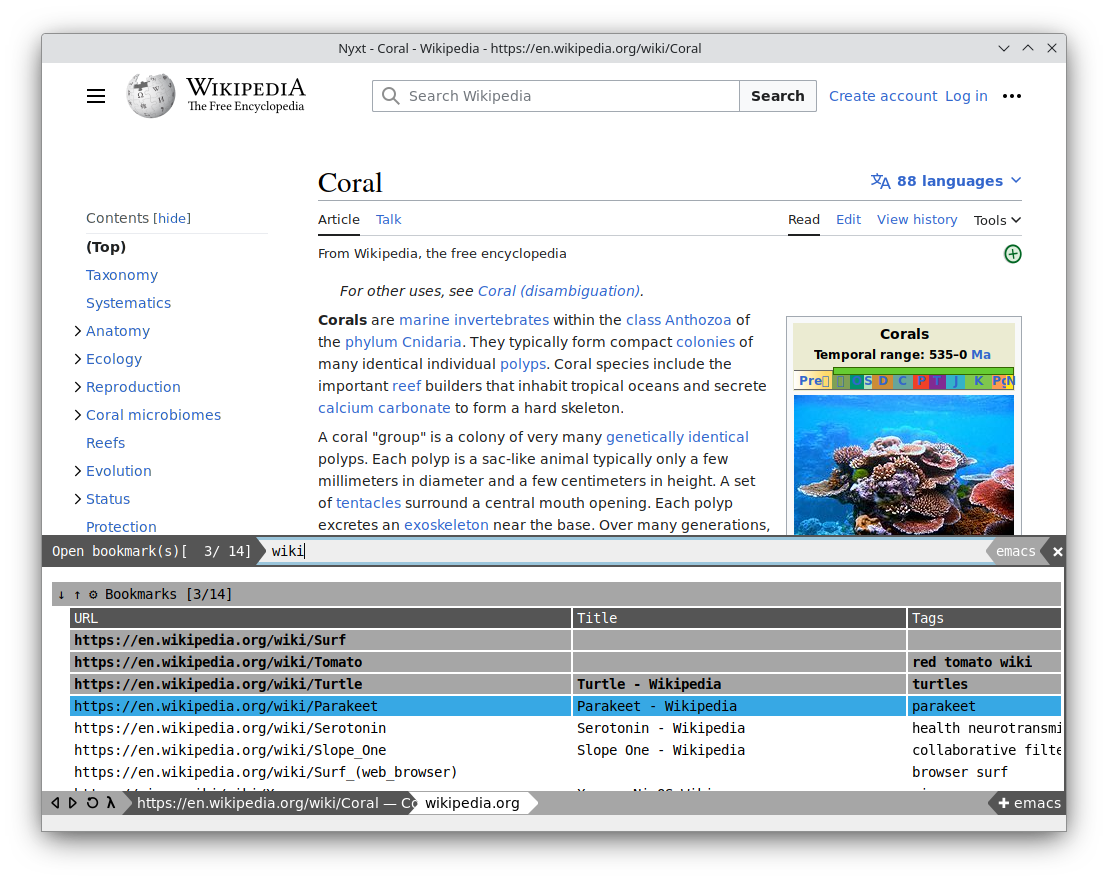
** Multiple marking

Commands can accept multiple inputs, allowing you to quickly perform an
operation against multiple objects.  In the example below we simultaneously open
several bookmarks.

#+html: <img src="https://nyxt-browser.com/static/image/multi-select.png" align="center"/>

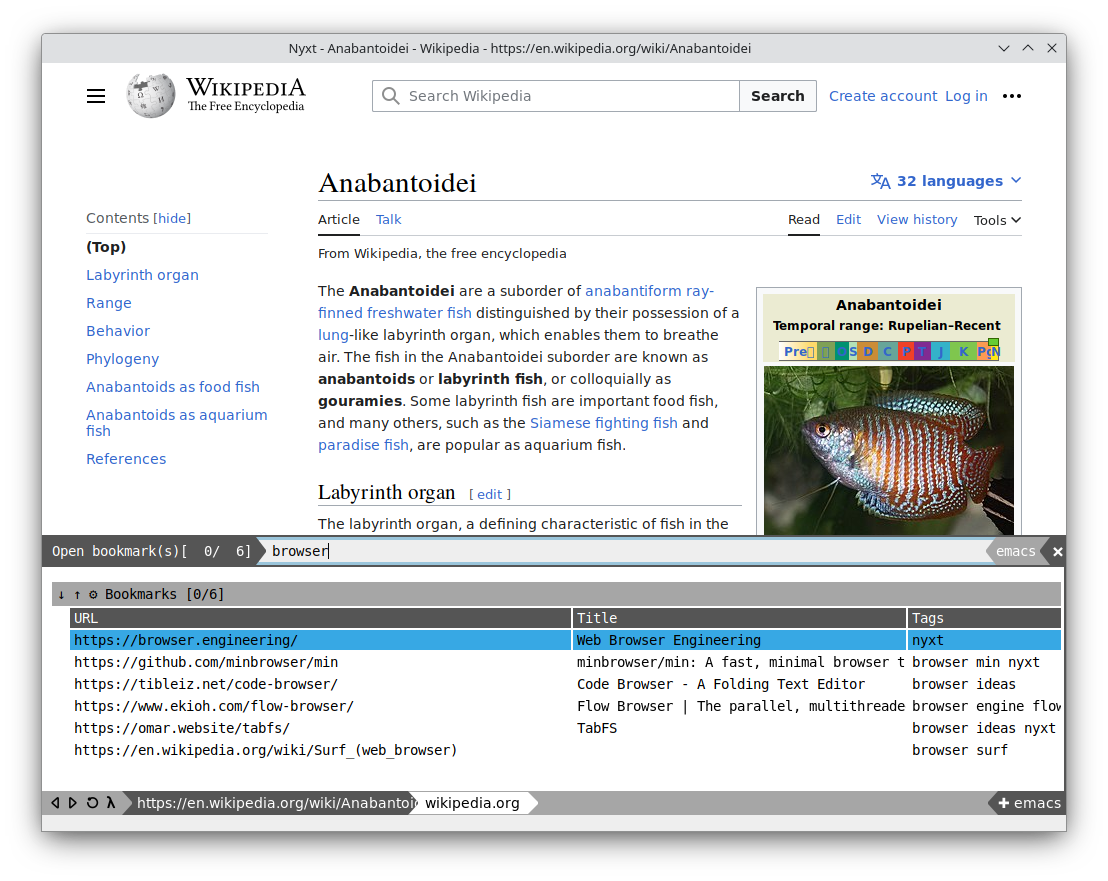
** Powerful bookmarks

Bookmark a page with tags.  Search bookmarks with compound queries.  Capture
more data about your bookmarks, and group and wrangle them in any way you like.

#+html: <img src="https://nyxt-browser.com/static/image/bookmark.png" align="center"/>

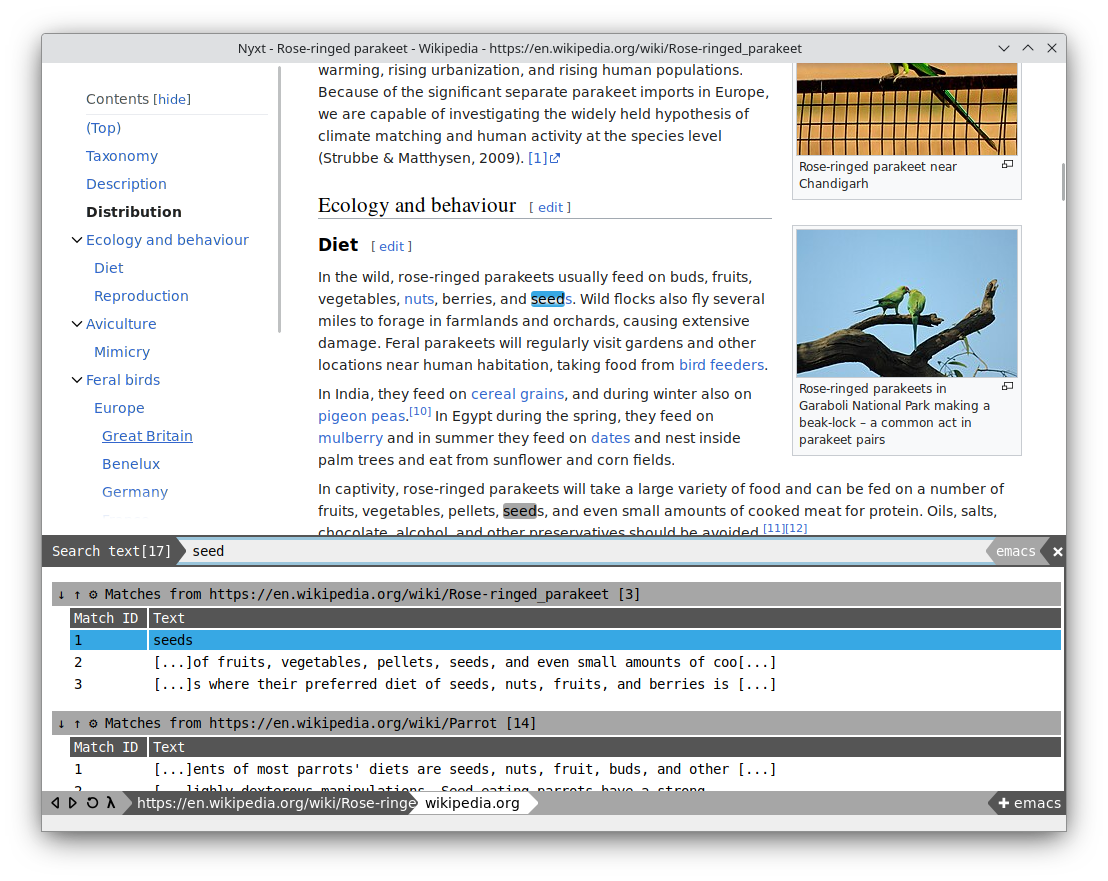
** Multi tab search

Search multiple tabs at the same time, and view all the results in a single
window.  Jump quickly through your open tabs to find what you need.

#+html: <img src="https://nyxt-browser.com/static/image/multi-search.png" align="center"/>

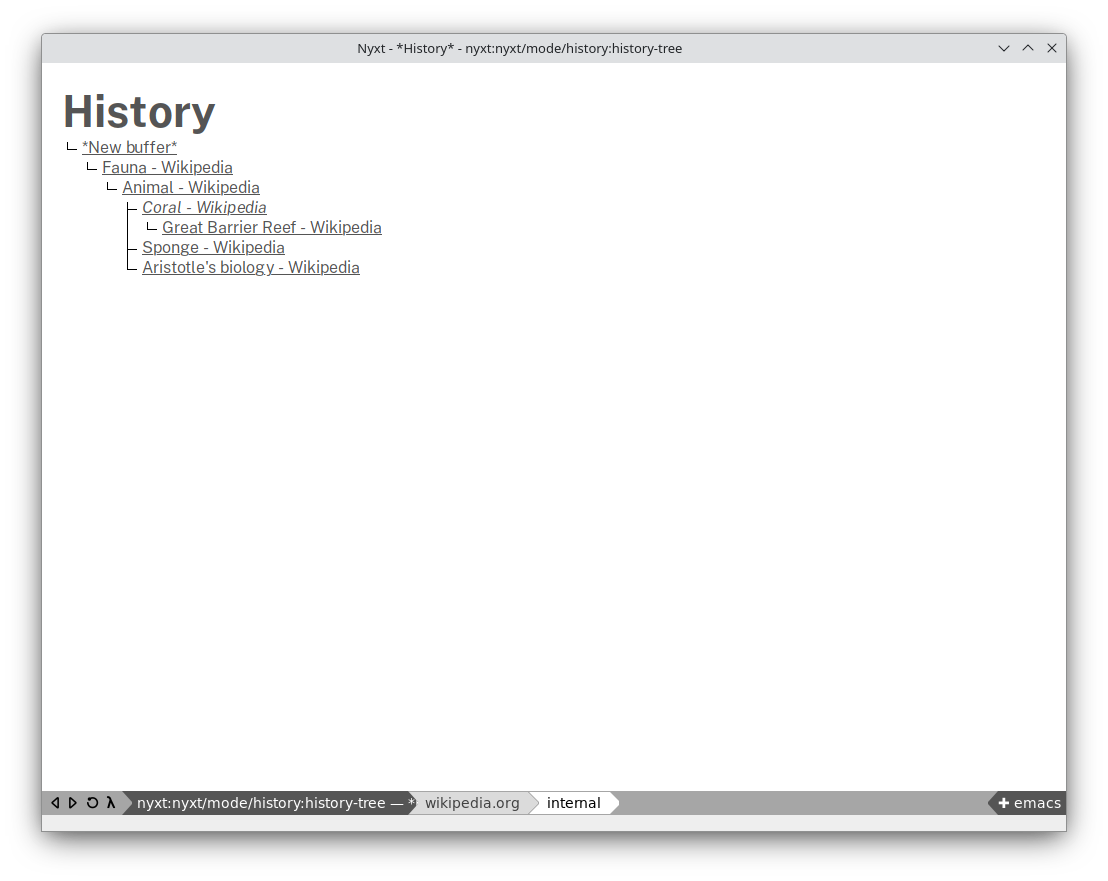
** History as a tree

History is represented as a tree that you can traverse.  Smarter than the
"forwards-backwards" abstraction found in other browsers, the tree makes sure
you never lose track of where you've been.

#+html: <img src="https://nyxt-browser.com/static/image/history.png" align="center"/>

* Installation

Supported platforms:

- GNU/Linux
- macOS (in development)
- Windows (in development)
- FreeBSD (unofficial)

** GNU/Linux

The Nyxt team maintains the following distribution means:

- [[https://flathub.org/apps/engineer.atlas.Nyxt][Nyxt on Flathub]]

[[https://repology.org/project/nyxt/versions][Non-official distribution means are supported by the community as well]].  We're
not accountable for their quality, so we kindly ask to report issues to the
maintainers of those packaging efforts.

* Contributing

Please refer to the [[file:developer-manual.org][developer's documentation]].