


Cross platform D language IDE written in D using the DlangUI library. It works on Windows, Linux and macOS, and can also run in a text console.
- Projects:
- DUB project format (dub.json or dub.sdl); dependency projects are shown in the workspace tree
- New project wizard
- Project specific settings: configuration, command line arguments, working directory
- Build and run:
- Build, rebuild, clean and run projects with DUB; DUB package configuration selection (contributed by NCrashed); DUB dependencies update
- Toolchain settings for DMD, LDC and GDC
- Build log highlight and navigation to the place of an error or warning by clicking on a log line (contributed by Extrawurst)
- Programs run in the internal terminal (Output panel) on Linux and macOS, or in an external terminal
- Run single files with rdmd
- Debugging with GDB (Linux, macOS) or mago-mi (Windows): breakpoints, stepping, call stack, local variables and function parameters
- Source editor:
- Syntax highlight for D, JSON and DML
- Autocompletion while typing and by Ctrl+Space or Ctrl+Shift+G (using DCD)
- Call tips with function signatures (Ctrl+Shift+Space)
- Go to definition by Ctrl+G or F12, back and forward by Alt+Left and Alt+Right (using DCD)
- Doc comments on mouse hover, or by Ctrl+Shift+D or Ctrl+F12 (using DCD)
- Smart indents; indent / unindent with Tab and Shift+Tab or Ctrl+] and Ctrl+[
- Toggle line or block comments by Ctrl+/ and Ctrl+Shift+/
- Find, replace, find in files (Ctrl+Shift+F), bookmarks, go to line
- Other:
- Light and dark themes
- Configurable keyboard shortcuts
- Viewer for DMD profiler logs (trace.log)
- "Reveal in Explorer" for projects, folders and files
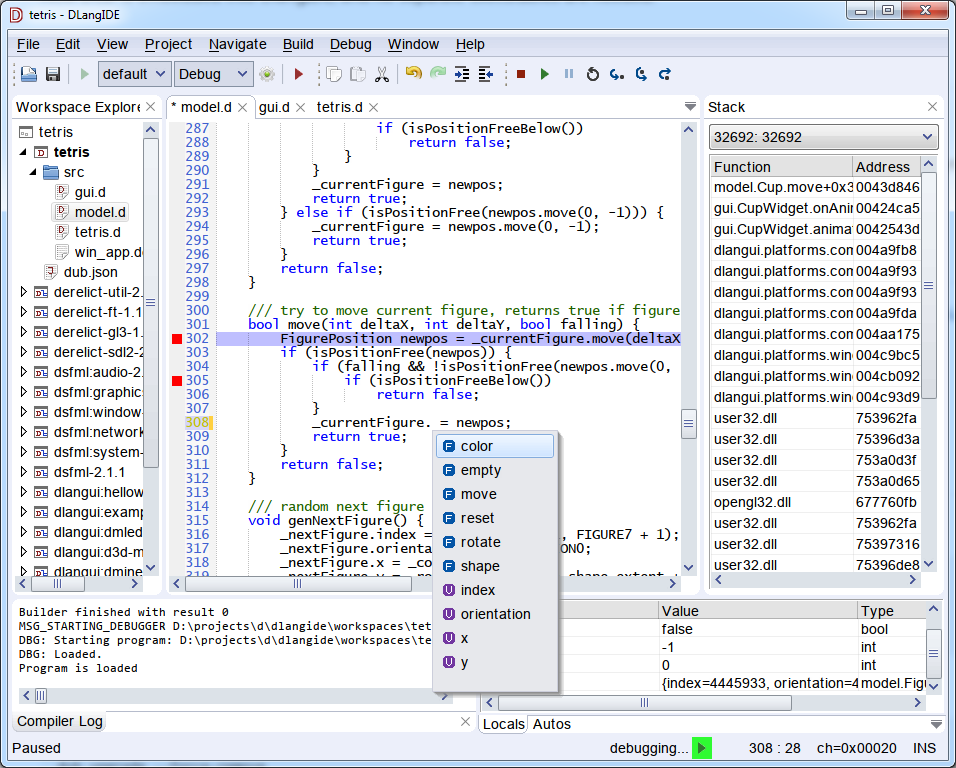
Screenshot of Default theme
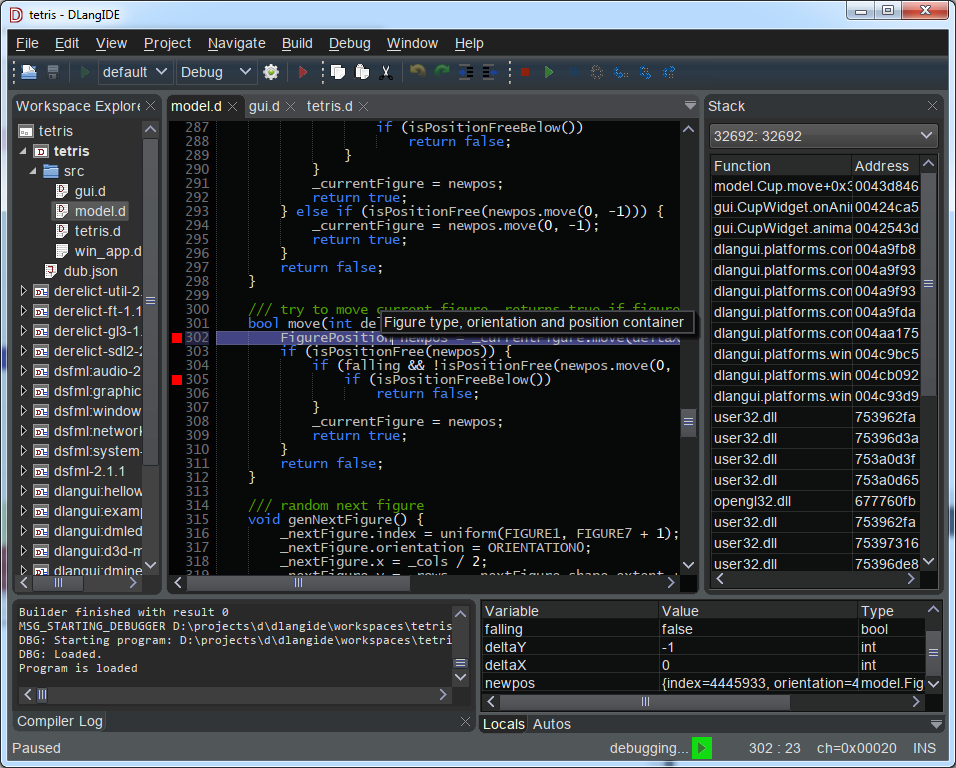
Screenshot of Dark theme
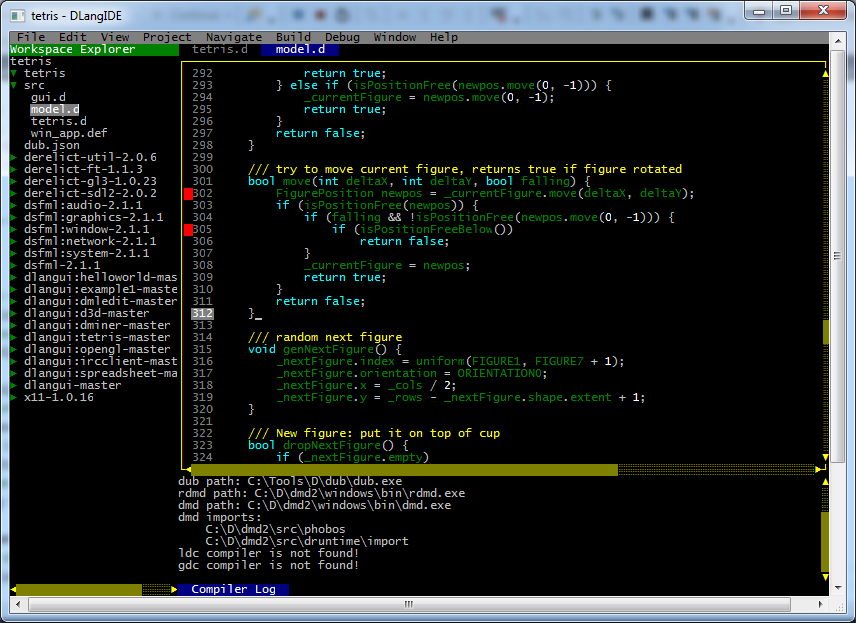
Screenshot of console mode (running in windows console)
Links:
- GitHub page: https://github.com/buggins/dlangide
- Wiki: https://github.com/buggins/dlangide/wiki
- DlangUI project GitHub page: https://github.com/buggins/dlangui
- Mago debugger GitHub page: https://github.com/rainers/mago
You need a D compiler and DUB. Install DMD from https://dlang.org/download.html (DUB is included), or LDC or GDC. DlangIDE needs DMD 2.100.2 or newer, or LDC 1.30 or newer.
Fetch, build and run the latest released version of DlangIDE:
dub run dlangide --build=release
There are no pre-built binaries for current versions.
DlangIDE loads SDL2, FreeType and fontconfig at runtime. Most desktop distributions already have them. Otherwise install them, e.g. on Debian / Ubuntu:
sudo apt-get install libsdl2-2.0-0 libfreetype6 libfontconfig1
On Fedora and other RPM based distributions:
sudo dnf install SDL2 freetype fontconfig
Other DUB configurations:
dub run dlangide --build=release -c x11        # native X11 backend instead of SDL2
dub run dlangide --build=release -c console    # text mode, runs in a terminal
The x11 configuration needs the X11 and GLX development packages to build (e.g. libx11-dev libglx-dev).
Install SDL2, which is used as the default backend, e.g. with Homebrew:
brew install sdl2
If everything looks too small or too large, choose the screen DPI manually in Edit / Preferences / Interface: Override screen DPI.
No additional libraries are needed: the default backend uses the Win32 API and the native Win32 font engine.
To render fonts with FreeType instead, build the freetype configuration (libfreetype-6.dll is copied next to dlangide.exe):
dub run dlangide --build=release -c freetype
The 64-bit mago-mi debugger is included in libs/windows/x86_64 and copied next to dlangide.exe by dub build. It debugs 64-bit programs built with -g by DMD or LDC; see its README.
DlangIDE uses DUB as build tool, and its dub.json or dub.sdl as project file format. You can select DMD, LDC or GDC compiler toolchain.
Symbol lookup and autocompletion is using DCD (D completion daemon).
Hans-Albert Maritz (Freakazo) implementated DCD integration using DCD client/server.
Keywan Ghadami improved it to use DCD as a library.
Now DCD is embedded into DlangIDE, and no separate executables are needed.
DlangIDE supports only DUB project format.
To import existing DUB project, use menu item "File" / "Open project or workspace" and select dub.json or dub.sdl of your project to import.
- Linux and macOS: GDB
- Windows: mago-mi, 64-bit (libs/windows/x86_64), for 64-bit programs built by DMD or LDC
Set the debugger executable in Edit / Preferences / D / Debugger.
Programs started without the debugger run in the internal terminal (Output panel) on Linux and macOS.
Build and run with DUB:
git clone https://github.com/buggins/dlangide.git
cd dlangide
dub run
If you see build errors, try to upgrade dependencies:
dub upgrade
dub build --force
HINT: Try to open sample project Tetris, from workspaces/tetris with DlangIDE.
For Linux and macOS, keyboard shortcut settings are placed in file
~/.dlangide/shortcuts.json
For Windows, in directory like
C:\Users\user\AppData\Roaming\.dlangide\shortcuts.json
If no such file exists, it's being created on DlangIDE start, filling with default values to simplify configuration.
Just edit its content to redefine some key bindings.
File format is simple and intuitive. Example:
{
    "EditorActions.Copy": "Ctrl+C",
    "EditorActions.Paste": "Ctrl+V",
    "EditorActions.Cut": "Ctrl+X",
    "EditorActions.Undo": "Ctrl+Z",
    "EditorActions.Redo": [
        "Ctrl+Y",
        "Ctrl+Shift+Z"
    ],
    "EditorActions.Indent": [
        "Tab",
        "Ctrl+]"
    ],
    "EditorActions.Unindent": [
        "Shift+Tab",
        "Ctrl+["
    ],
    "EditorActions.ToggleLineComment": "Ctrl+/",
    "EditorActions.ToggleBlockComment": "Ctrl+Shift+/"
}You can set additional import paths (for correct work with DCD) in the workspace settings file (e.g. newworkspace.dlangidews):
{
    "name" : "newworkspace",
    "description" : null,
    "projects" : {
        "newproject" : "newproject/dub.json"
    },
    "includePath" : [
        "/usr/include/dlang/dmd/"
    ]
}Clone the repository and build it with DUB (see above). Use any editor or IDE with D support, e.g. DlangIDE itself, or VS Code with the code-d extension.
To work on DlangIDE together with DlangUI, clone both repositories next to each other:
git clone https://github.com/buggins/dlangui.git
git clone https://github.com/buggins/dlangide.git
and point DlangIDE to the local DlangUI checkout: in dlangide/dub.selections.json, replace the dlangui version
with "dlangui": {"path": "../dlangui"}.
Coding style: https://github.com/buggins/dlangui/blob/master/CODING_STYLE.md
Please report bugs and feature requests in GitHub issues. Pull requests are welcome.
Boost Software License 1.0, see LICENSE.txt.
DlangIDE links DCD, which is licensed under the GNU GPL v3, so DlangIDE binaries
are distributed under the GPL v3 as a whole. The Windows packages include GPL-3.0.txt and THIRD-PARTY.txt, which lists all
included components with their licenses and sources.