Custom UITextField based on Extendy framework functionality.


- iOS 12.0+
StringifyTextField is available through CocoaPods. To install it, simply add the following line to your Podfile:
pod 'StringifyTextField', '~> 1.3'import StringifyTextField
// Connect IBOutlet
@IBOutlet var stringifyTextField: StringifyTextField!
// Create programmatically
let manualTextField = StringifyTextField(type: .amount)
manualTextField.frame = CGRect(x: 20, y: 100, width: 200, height: 40)StringifyTextField is a text field that can format an entered string with 6 available formats.
Available formats:
public enum TextType: UInt {
  case amount = 0
  case creditCard = 1
  case IBAN = 2
  case expDate = 3
  case cvv = 4
  case none = 5
}You can specify a currency mark for .amount text type.

Set up maximum integer digits (if your amount contains integer and fraction parts).
stringifyTextField.maxIntegerDigits = 6If your amount doesn't contain a fraction part, you can disable decimal through Interface Builder or programmatically.
stringifyTextField.decimal = false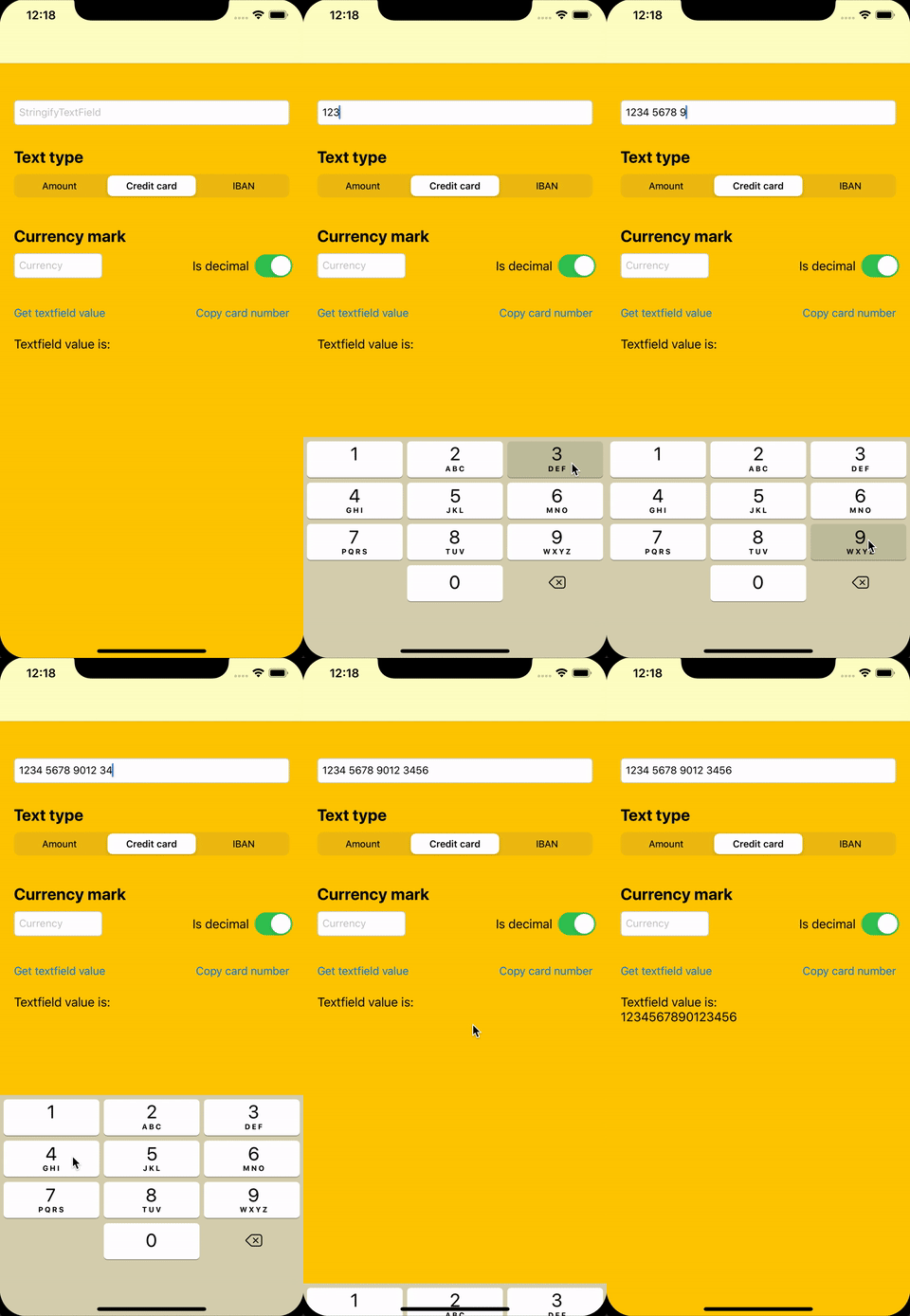
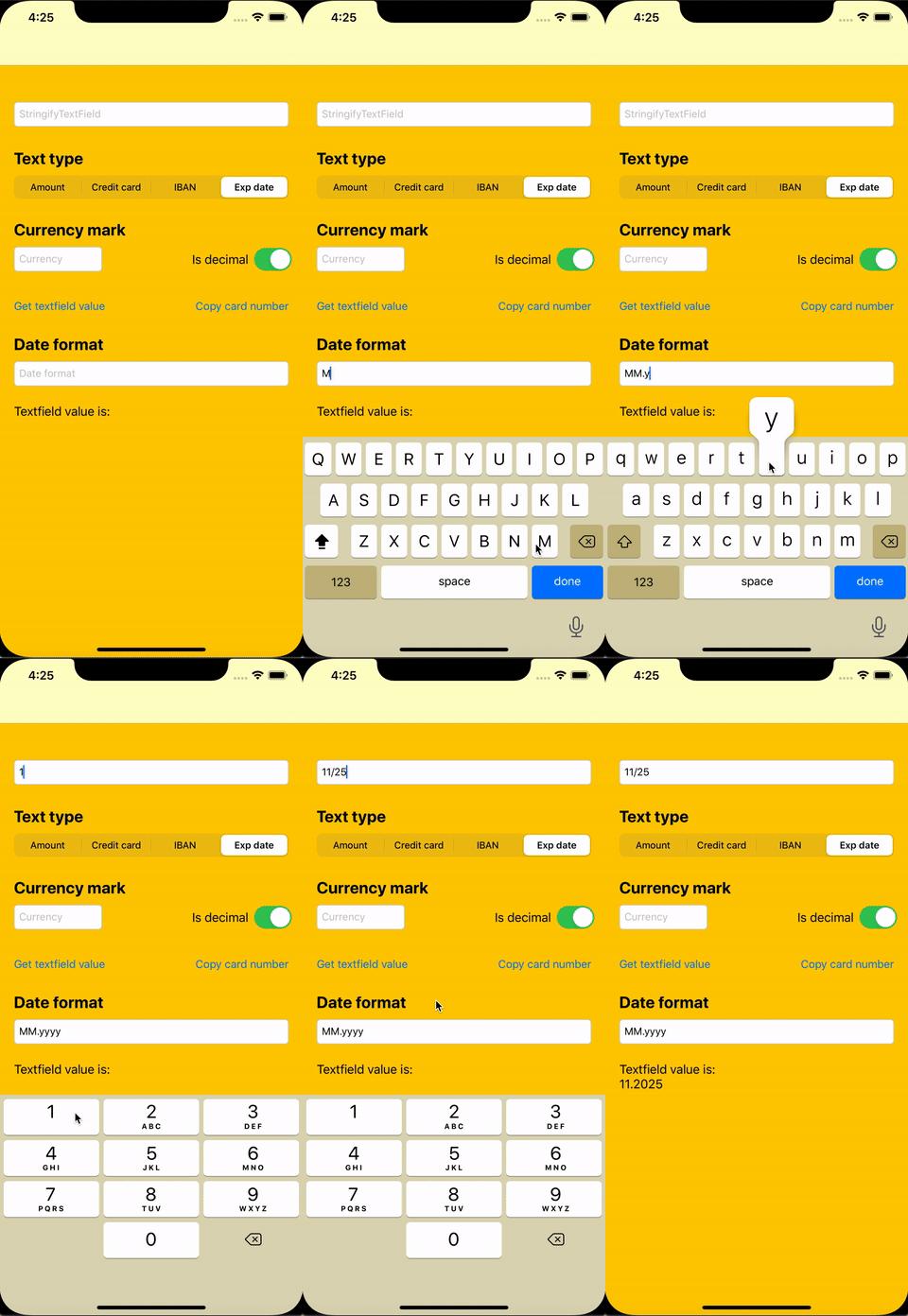
You can specify a date format to get the required "clean" value.
stringifyTextField.dateFormat = "MM.yyyy"You can get the plain value from StringifyTextField. For example, for .expDate format it will be the value with the specified date format applied.
let expDate = stringifyTextField.plainValueStringifyTextField supports three different styles:
public enum Style {
    case line
    case border(cornerRadius: CGFloat = 0)
    case native(borderStyle: UITextField.BorderStyle)
}
You can display a bottom line in StringifyTextField with .line style:
stringifyTextField.style = .line
stringifyTextField.lineColorDefault = UIColor.black
stringifyTextField.lineColorActive = UIColor.blue
or use bordered style:
stringifyTextField.style = .border(cornerRadius: 8)
stringifyTextField.borderColorDefault = UIColor.lightGray
stringifyTextField.borderColorActive = UIColor.blue
and enable a floating placeholder:
stringifyTextField.floatingPlaceholder = true
stringifyTextField.floatingPlaceholderColor = UIColor.black
stringifyTextField.floatingPlaceholderActiveColor = UIColor.blue
InnerFloatedStringifyTextField is a StringifyTextField subclass with an inner floated label. The standard clear button remains vertically centered, and the value is clipped to that button with a trailing ellipsis.
let innerFloatedTextField = InnerFloatedStringifyTextField(type: .amount)
innerFloatedTextField.placeholder = "Amount, BYN"
innerFloatedTextField.clearButtonMode = .whileEditing
innerFloatedTextField.floatedLabelFontSize = 14
innerFloatedTextField.floatingPlaceholderColor = UIColor.gray
innerFloatedTextField.floatingPlaceholderActiveColor = UIColor.gray
The label can stay at the top or float up only after a value is entered:
innerFloatedTextField.floatedPlaceholderDisplay = .alwaysOnTop
innerFloatedTextField.floatedPlaceholderDisplay = .onInput
contentInsets insets the label, the value, and the clear button inside the field bounds. Top inset places the floated label, bottom inset places the value.
innerFloatedTextField.contentInsets = UIEdgeInsets(top: 10, left: 16, bottom: 10, right: 16)
innerFloatedTextField.labelToTextSpacing = 2
InnerFloatedStringifyTextField keeps all StringifyTextField formats, styles, and error handling.
Display an error state with a temporary highlight:
// Show error for default duration (1 second)
stringifyTextField.showError()

// Show error for custom duration
stringifyTextField.showError(for: 5.0)

// Hide error manually
stringifyTextField.hideError()You can see other features in the example project.
StringifyTextField is available under the MIT license. See the LICENSE file for more info.